1. Start with the Windows install path that actually works
The official README showed the installer and a registry-based Cargo install. What worked better for me on Windows was much more explicit: verify that Rust exists, clone the repository, move into it, and install directly from the checked-out source tree with cargo install --path .. Straightforward.
1. Install Rust if you do not have it yet
curl --proto '=https' --tlsv1.2 -sSf https://sh.rustup.rs | sh

2. Verify Rust
cargo --version

3. Clone the repo
git clone https://github.com/immanuwell/secretoxide.git

4. Move into the repo
cd secretoxide

5. Install from source
cargo install --path .
2. The first meaningful test
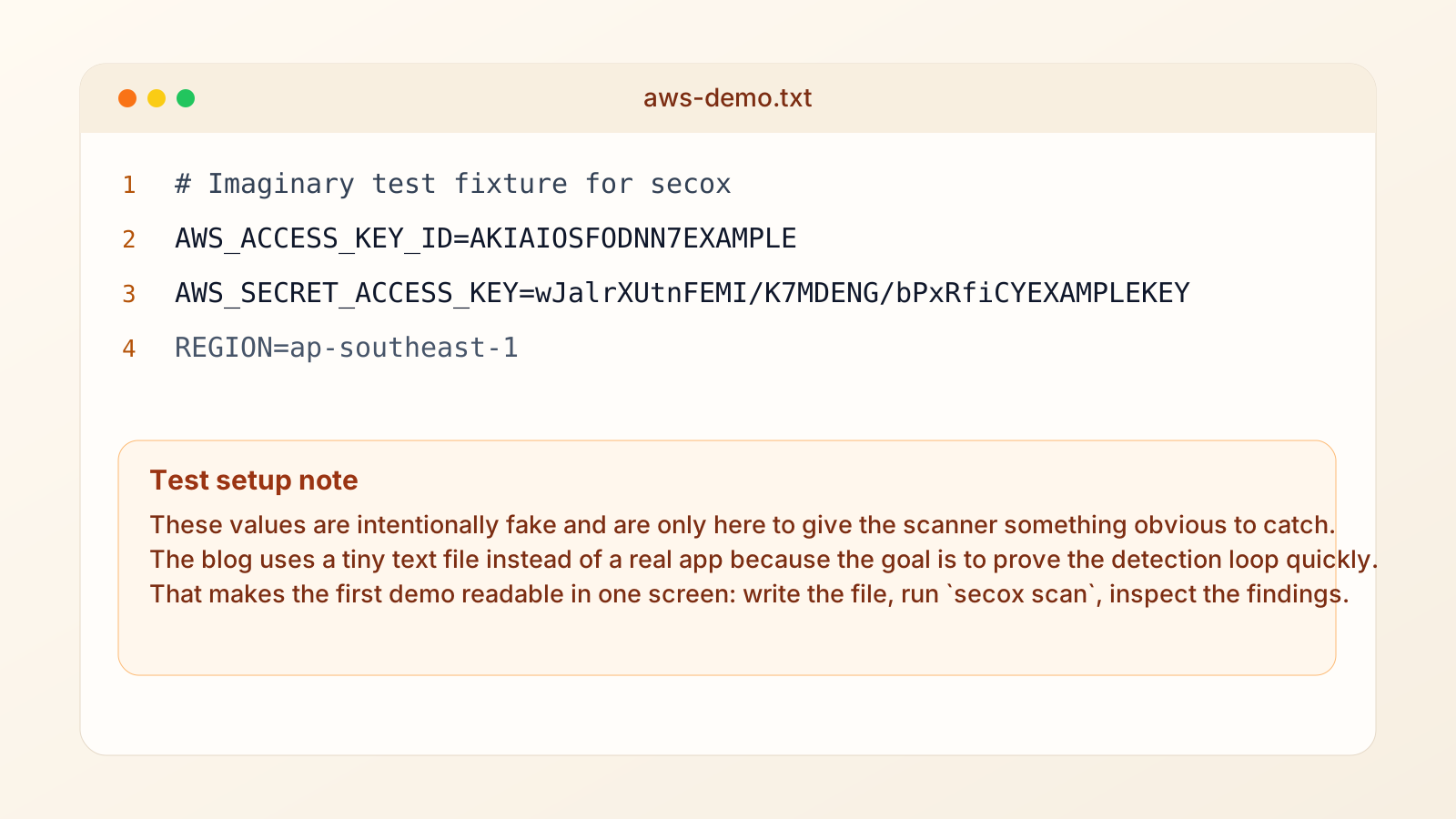
I did not want to prove the scanner against a real application first. That usually introduces too many variables at once. The better test is a tiny text file with deliberately fake AWS credentials hardcoded into it. If the scanner is useful, it should catch those immediately and present the result in a readable way.
3. Use a fake AWS file that is obvious on purpose
The file itself is deliberately plain. I used one AWS access key id, one AWS secret access key, and a region. That is enough for the scanner to demonstrate both pattern recognition and reporting without burying the result in irrelevant lines.
# aws-demo.txt
AWS_ACCESS_KEY_ID=AKIAIOSFODNN7EXAMPLE
AWS_SECRET_ACCESS_KEY=wJalrXUtnFEMI/K7MDENG/bPxRfiCYEXAMPLEKEY
REGION=ap-southeast-1
4. The scan output is where the tool becomes useful
Once the file exists, the next step is direct. Run secox scan against it and inspect what comes back. This is the point where the project either earns trust or loses it. I want the rule names to be clear, the file location to be obvious, and the summary at the bottom to tell me whether I need to keep reading.
That is also why I like the output shape here. It does not try to overwhelm you with ceremony. It just shows what was found, where it was found, and how confident the tool is about the match.
secox scan .\aws-demo.txt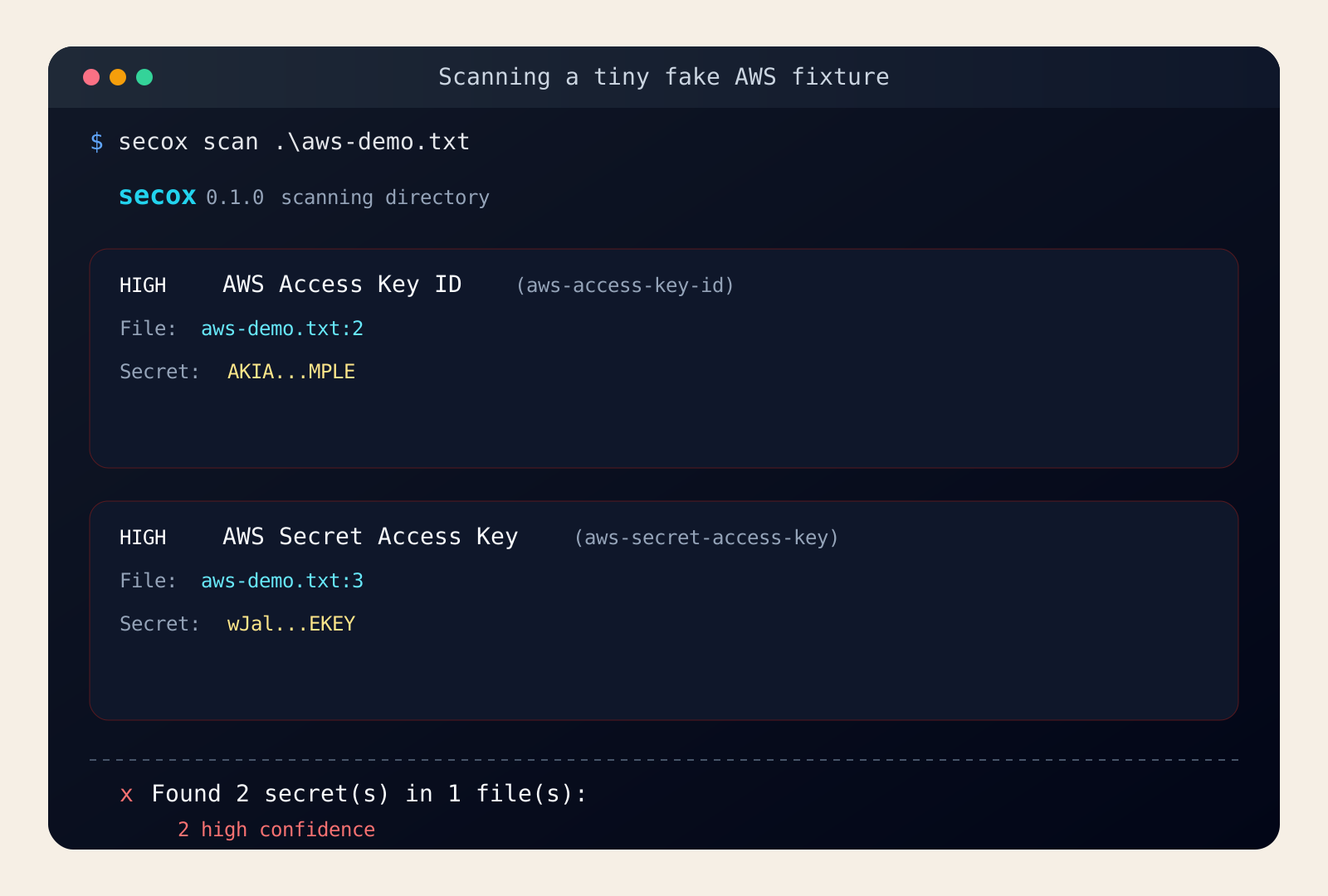
Final thoughts
I like tools like this when they make the secure thing feel mechanically simple. secretoxide is can be included in your build pipeline and can catch not just this AWS secret keys. Go ahead and try it yourself.
If I were taking this further, I would move straight from this tiny fake-file test to a pre-commit workflow on a real repository. A short, explicit Windows install path and one readable scan result are enough to tell me the tool is worth keeping around.
secox init
secox scan --staged